01A new city, your taste
“Based on what I love in Chicago, where should I go in NYC?”
Claude or ChatGPT can use your Cerca ratings and saves to find places that feel like you.
Good places for good people
The little café. That late-night bar. Your friend's favorite dinner spot. Keep them all on one map, ready for wherever life takes you.
Free to use. Web app. Native app coming soon.

A small tour of your next big night out
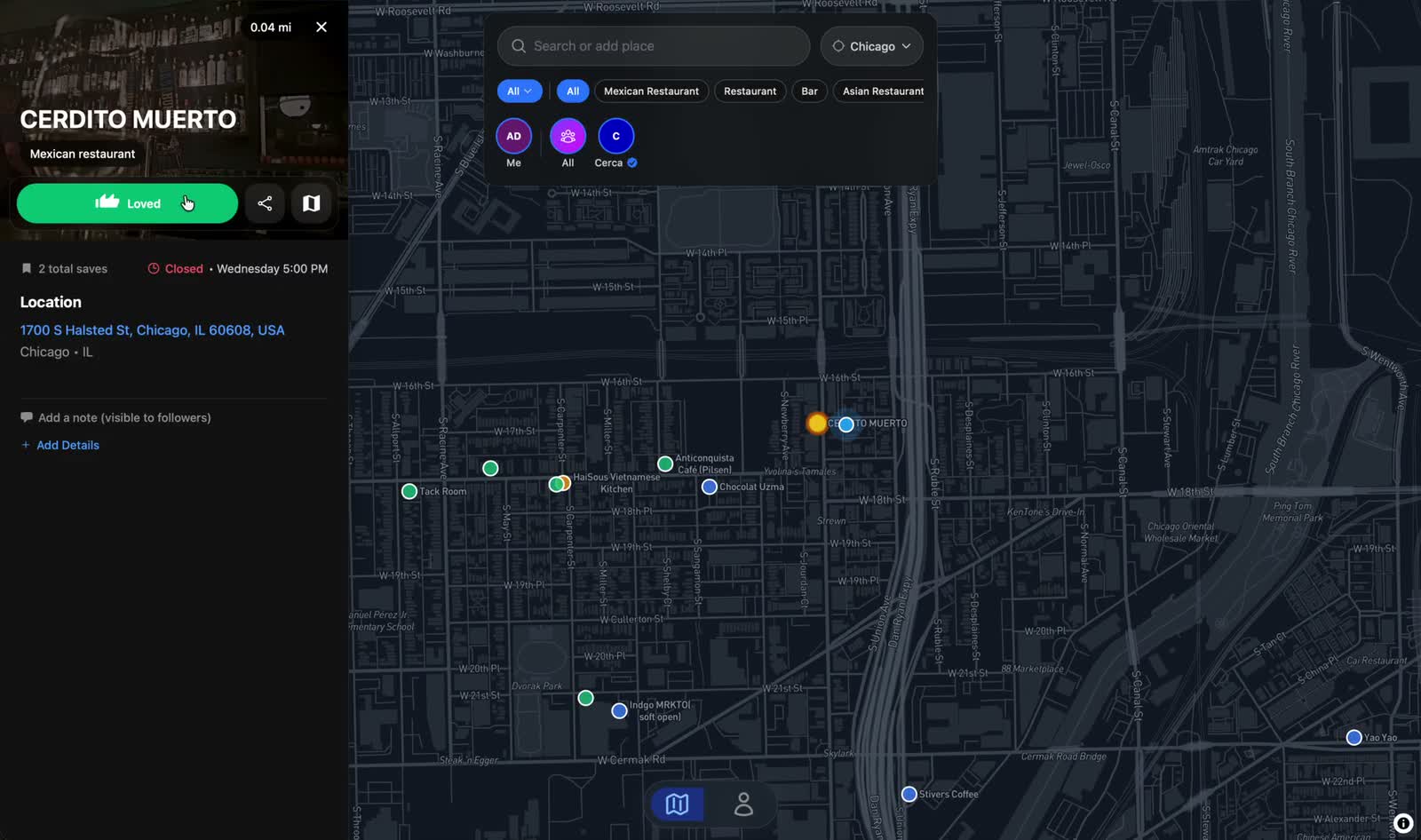
A home for places you want to try, places you love, and the people who put them on your radar.
Save somewhere you want to go. Keep a note so you remember what caught your eye.
See places from friends you follow. Every pick comes from a person, with a taste you can get to know.
Filter by city, see what’s nearby, and rate the places you try. Your map gets more personal as you go.
Now live · Works with Claude & ChatGPT
Give Claude and ChatGPT a starting point that’s actually you: the places you love, the ones you want to try, and the people whose taste you trust. Then turn a good conversation into places on your map.
 Claude
 ChatGPT
Free to connect. Your Claude or ChatGPT plan is separate.
01A new city, your taste
“Based on what I love in Chicago, where should I go in NYC?”
Claude or ChatGPT can use your Cerca ratings and saves to find places that feel like you.
02From chat to your map
“Add these all to Cerca.”
Keep the good recommendations. Ask Claude or ChatGPT to save them to your want-to-go list.
03Make it a Claude routine
“Save new openings in my neighborhood to Cerca weekly.”
Set up a scheduled task in Claude with Cerca connected. Choose your neighborhood and let your list keep growing.
At your desk. Around the corner.
Plan on your laptop. Pull up the map on your phone. Cerca is a web app that feels at home on both.

That little bar you wanted to remember.
A few good questions
No. Cerca runs in your browser on your phone, tablet, or computer. You can add it to your home screen for easy access. A native app is coming soon.
Yes. Saving places, rating them, following friends, and sharing guides are free. Connecting Claude or ChatGPT to Cerca is also free; their subscriptions are separate.
Start with your own map of places to try and places you love. You can explore public profiles and share yours with a friend whenever you’re ready.
Yes. Import a Google Maps list during onboarding or from your profile. You can keep building on the places you’ve already collected.
Follow the Claude and ChatGPT setup guide, sign in to Cerca, and authorize the connection. You can disconnect it in Settings at any time.
Keep the places that stay with you
Free to use. Web app. Native app coming soon.